Cartoon Photo Editor ・Toon AI
Digital Social AppsArt & Design
4.2205.00 Reviews
- Version
- 1.1.4
- Installs
- 1.00M
- Age Rating
- Everyone
Screenshots
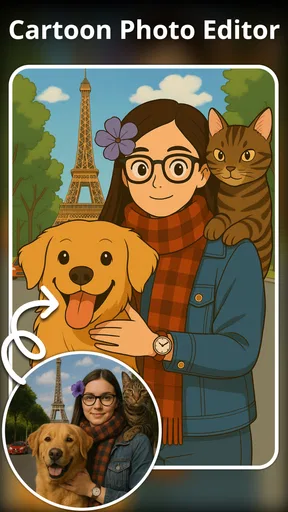
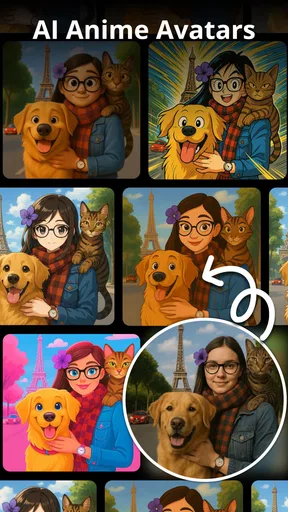
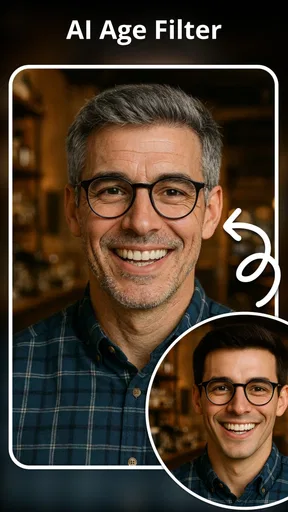
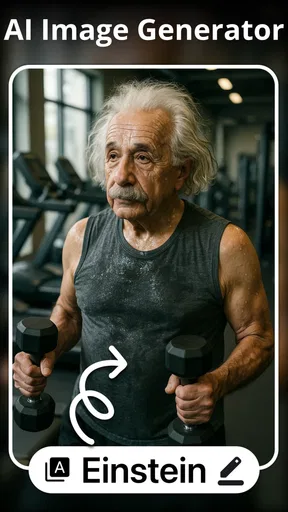
Our Review of Cartoon Photo Editor ・Toon AI
 Analysis by Appyee
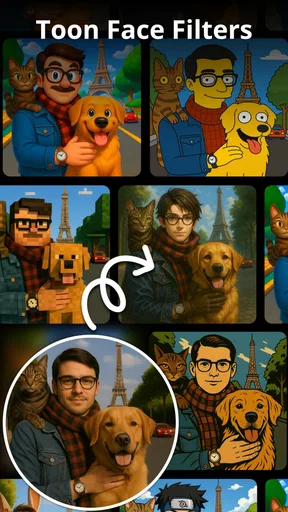
I’d treat Cartoon Photo Editor ・Toon AI as a playful creative tool rather than a photo editor I need to open every day. The appeal is immediate: choose a portrait, see it reimagined in a cartoon style, and decide whether the result feels worth sharing or saving. That quick transformation gives the app a fun first-week novelty, especially if you enjoy trying different looks on a familiar photo.
That kind of novelty can wear off, though. What matters after the first few experiments is whether the app fits a real habit: making a profile image, creating a lighthearted gift, or giving a group chat a new picture to react to. I find it most useful when I have a specific image in mind, not when I’m searching for a reason to edit something.
Who will enjoy the first few sessions
If you like seeing how an ordinary selfie changes under an illustrated treatment, the basic idea is easy to grasp. You don’t need to know illustration or learn a complicated editing workflow before trying it. The app is aimed at casual photo play, and its Art & Design focus makes sense for anyone who wants a quick visual experiment rather than a full creative suite.
A practical first test is to use a well-lit, front-facing portrait with a clear view of the face. Keep another photo ready if the first image has deep shadows, busy scenery, or several people close together. Comparing two different portraits is more informative than repeatedly applying effects to one image: it helps you see whether a result is appealing because of the style or simply because the source photo was a better fit.
Where it can earn a recurring place
The app is more likely to stay useful if I give it small, occasional jobs. I might make a cartoon portrait for a messaging profile, prepare a playful image for a friend’s birthday, or create a consistent set of avatars for a private group. Those are modest tasks, but they give the editor a purpose beyond scrolling through effects for a few minutes.
For a recurring project, I’d keep the original photo and any finished versions organized separately in my regular photo library. That makes it easier to compare edits later and prevents a stylized copy from replacing the natural image I may want for another use. It’s also sensible to decide on the intended crop before editing: a face that looks good in a full portrait may need a tighter framing to read clearly as a small profile picture.
Practical trade-offs before you settle in
Cartoon effects are subjective. A result that feels charming on one face may look too exaggerated on another, and a stronger transformation can lose details that matter to you. I’d test the same source image with a lighter and bolder treatment before choosing a final version, especially for a profile photo that needs to remain recognizable.
It also helps to separate the cartoon conversion from finishing work. If the result needs careful cropping, precise color correction, or detailed retouching, a conventional photo editor may be a better second step. This app’s appeal is the quick creative change; it should not be mistaken for a replacement for every tool in a mobile editing workflow.
Cost, audience, and expectations
The app is free to install, with in-app purchases listed from $9.99 to $199.99 per item. I’d explore the free experience before considering a purchase and check the price shown for any item in the app before confirming it. Those listed purchase amounts span a wide range, so it is worth being deliberate rather than tapping through a payment prompt just to keep experimenting.
It is rated for Everyone, which makes its broad audience clear, but that does not mean every edited image is suitable for every purpose. I’d still think about where a portrait will be posted and whether the person pictured is comfortable with it being shared. For a child’s image or a group photo, getting permission before posting is a sensible habit regardless of the effect used.
Digital Social Apps is the developer, and the app’s current version is 1.1.2. It has a 4.5 average from around 70,000 ratings and over 1 million installs. Those figures suggest that plenty of people have tried it, but they can’t tell me whether a particular style will suit my face or whether I’ll want to keep using it after the novelty passes.
If your goal is polished illustration, precise control, or a repeatable visual identity across many images, I’d choose a more comprehensive editing or drawing app. If you mainly want an approachable way to experiment with cartoon portraits, this is a lower-effort place to start. That distinction matters: the best choice depends less on how many effects an app promises and more on what you want to do with the finished picture.
If you’ve ever wondered what you’d look like as a cartoon character, then you might want to dive into the delightful world of Cartoon Photo Editor ・Toon AI. I spent a good chunk of time playing around with this app, and let me tell you, it’s a blast. From transforming your selfies into cartoonish masterpieces to exploring the app’s whimsical features, here’s a breakdown of my experience.
Unleashing Your Inner Cartoon
The first thing you’ll notice about Cartoon Photo Editor ・Toon AI is its user-friendly interface. Seriously, it’s like the app is holding your hand through the whole process. After downloading it, the setup is a breeze and you’re ready to get started in no time. The app prompts you to upload a photo, and from there, it’s pure magic.
The transformation process is surprisingly fast. The app uses AI to convert your photo into a cartoon, and it doesn’t skimp on quality. I was impressed by how detailed and accurate the results were. You can see every little feature captured in a cartoon style that’s both charming and fun. It’s like seeing yourself through the eyes of a comic book artist!
Features That Stand Out
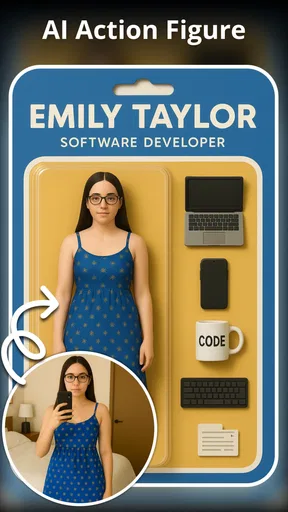
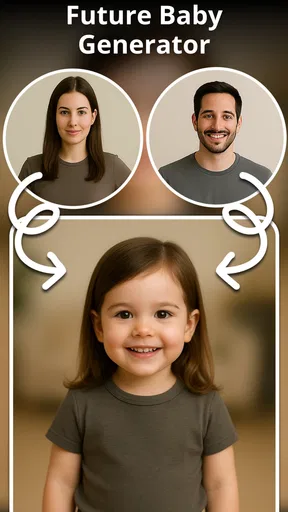
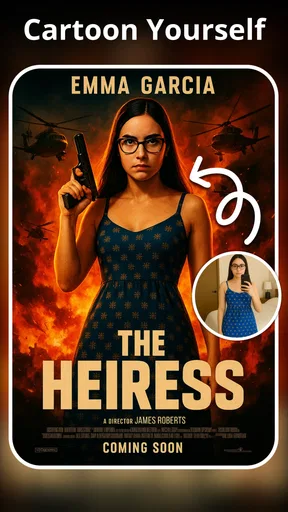
What sets Cartoon Photo Editor apart from other similar apps is the range of styles and effects it offers. You’re not just stuck with one cartoon look. You’ve got options, my friend! From classic comic book styles to modern artistic interpretations, there’s something for everyone.
One of my favorite features is the ability to tweak the intensity of the cartoon effect. Want a subtle transformation? You got it. Prefer a full-blown animated character look? No problem. This flexibility allows users to personalize their cartoons to their liking.
"The app feels like a playground for creativity, offering endless possibilities for personalization."
The Creative Extras
Beyond turning your photos into cartoons, the app also offers a plethora of filters and editing tools. You can adjust colors, add text, and even apply quirky stickers to your images. It’s like having a mini photo studio on your phone.
For those who love sharing on social media, the app integrates seamlessly with platforms like Instagram and Facebook. It’s easy to export your creations and show them off to your friends. Trust me, they’ll be asking, "How did you do that?"
Getting Around the App
Navigation is a breeze with Cartoon Photo Editor ・Toon AI. The menus are intuitive, and I didn’t experience any lag or crashes during my time with the app. Everything is laid out clearly, so you’re not fumbling around trying to figure out how things work.
If you’re like me and sometimes get overwhelmed by too many options, don’t worry. The app’s design is clean and straightforward, making it easy to focus on having fun with your photos.
Final Thoughts
All in all, Cartoon Photo Editor ・Toon AI is a delightful app that brings a touch of whimsy to your photo editing. It’s perfect for those who want to add a creative twist to their selfies or simply explore a new way to express themselves. Whether you’re a casual user or a social media enthusiast, this app offers something unique and entertaining.
So, if you’re ready to see yourself in a whole new light, give Cartoon Photo Editor a try. Trust me, you won’t be disappointed. It’s like stepping into a cartoon world—one photo at a time!
Verdict
Strengths of Cartoon Photo Editor ・Toon AI
- Intuitive user interface, easy for all levels.
- High-quality output with vibrant colors.
- Variety of filters for unique styles.
- Fast processing with minimal lag.
- Regular updates with new features.
Limitations of Cartoon Photo Editor ・Toon AI
- In-app purchases can be costly.
- Occasional ads disrupt the experience.
- Limited filters in free version.
- Requires stable internet for best use.
- Some filters slow on older devices.
Similar Picks in This Category
View All
Canva: AI Photo & Video Editor
Canva4.8

PENUP – Drawing-sharing SNS
Samsung Electronics Co., Ltd.4.5

Crafto
Kutumb App4.6

Sketchbook
Sketchbook4.1

ibis Paint X
ibis inc.4.5

Adobe Express: AI Photo, Video
Adobe4.6
Frequently Asked Questions
What is Cartoon Photo Editor ・Toon AI?
Cartoon Photo Editor ・Toon AI is an app designed to transform your ordinary photos into cartoon-style images using advanced AI technology. It offers various filters and editing tools that allow users to customize their photos with ease, providing a fun and creative way to enhance your pictures.
Is Cartoon Photo Editor ・Toon AI free to use?
The app offers a free version with basic features and filters. However, to access premium filters and advanced editing tools, users may need to subscribe to a paid plan. This subscription model allows for an ad-free experience and unlocks additional content for more creative options.
Does the app require an internet connection to function?
While basic editing can be done offline, an internet connection is necessary to download filters and updates. Additionally, some features, especially those that require AI processing, may need an internet connection to function effectively, ensuring users can access the latest and most advanced tools.
How user-friendly is Cartoon Photo Editor ・Toon AI?
Cartoon Photo Editor ・Toon AI is designed with user-friendliness in mind, featuring an intuitive interface that makes navigation simple even for beginners. The app includes guided tutorials and tips to help users make the most of its features, making it accessible to all skill levels.
What platforms support Cartoon Photo Editor ・Toon AI?
Cartoon Photo Editor ・Toon AI is available on both Android and iOS platforms. Users can download the app from the Google Play Store or the Apple App Store, ensuring compatibility with a wide range of devices. Regular updates are provided to maintain performance and introduce new features.
